


Microsoft released the KB5124010 September 2026 non-security preview update for Windows 11 24H2 and 25H2, with 46 changes including Bluetooth improvements and the ability to remap the Copilot key.
KB5124010 is a preview update that lets administrators and users test Windows improvements, bug fixes, and new features before they become generally available during next month’s Patch Tuesday release.
However, unlike regular cumulative updates, monthly optional updates like KB5124010 provide only quality improvements and don’t include security fixes.
The September 2026 preview update adds support for Emoji 17.0, a new “Open apps maximized” accessibility setting that automatically maximizes app windows as they open, and a recovery remote management plug-in for extending Windows Recovery (WinRE) management capabilities.
Microsoft also resolved an issue where the Bluetooth radio could be turned off while the Bluetooth radio control toggle in Settings still showed as on, and a bug that could cause crashes with error code 0x139 while streaming Bluetooth audio.
It also improved microphone compatibility with certain Bluetooth Classic audio accessories, as well as reliability and performance with LE Audio accessories.
After deploying this preview update, users can also remap the Copilot key on their Windows devices via a new Windows 11 setting to function as the Right Ctrl or Context Menu key.
You can install the KB5124010 update by opening Settings, clicking on Windows Update, and then “Check for Updates.”
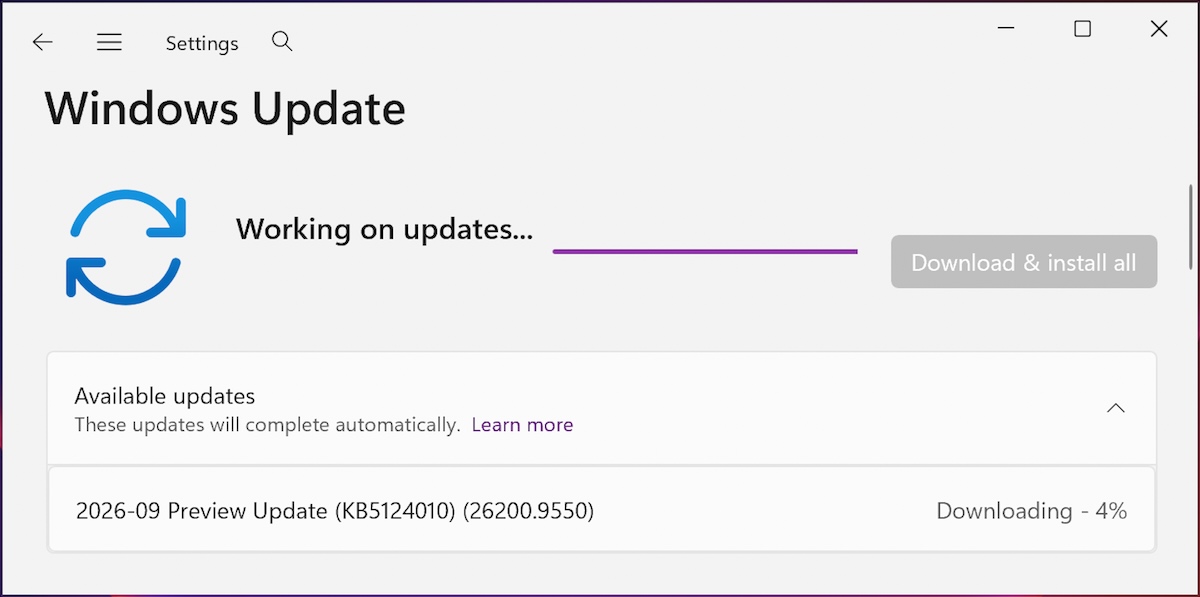
Because this is an optional update, you will need to click the “Download and install” link unless you already have the “Get the latest updates as soon as they’re available” option enabled, which will prompt the OS to install it automatically.
You can also manually download and install the KB5124010 preview update from the Microsoft Update Catalog.
Windows 11 KB5124010 highlights
Once installed, this optional non-security update will upgrade Windows 11 25H2 and 24H2 devices to builds 26200.9550 and 26100.9550, respectively.
The September 2026 preview update comes with many other changes, some of the more important ones highlighted below:
- This update adds support for using slideshow wallpapers with multiple desktops, so that it won’t automatically switch you back to Picture.
- New! Additional gesture controls for precision touchpads are available in Settings > Bluetooth & devices > Touchpad.
- New! This update introduces Camera roll backup in Settings, helping eligible users protect their photos with OneDrive. You can turn on the feature from the Settings Home or Accounts page and complete setup on a mobile phone using a QR code.
In this update, Microsoft also fixed a known issue that was causing the built-in File History backup feature on some Windows systems to fail after installing the September 2026 security updates.
KB5124010 also removes PC-to-PC Migration, a tool that helped users transfer their files, settings, and preferences to a new Windows device. Microsoft now recommends using Windows Backup to migrate to a new PC using OneDrive.
Microsoft also reminded users that KB5124010 is the final preview update for Windows 11 24H2, which reaches end of support in October 2026.

Join Mikko Hyppönen and security leaders from the NFL, CHANEL, and Atlassian for a two-hour digital summit on what AI-speed attacks change, what defenders should stop doing, and how to validate, decide, fix, and re-validate at machine speed.
