


ZDNET’s key takeaways
- This small WatchOS 27 update makes a big difference.
- Apple rolled out the dynamic app grid on the Apple Watch.
- You see fewer apps now, but that’s not a bad thing.
Think about all the apps on the Apple Watch that you use on a regular basis. You could probably count them on one hand or two. Me? I use the Fitness app most, followed by the Timer function, Messages, Activity, Heart Rate, and Sleep. That means that, out of the 40 or so apps displayed on my Apple Watch home screen, I use one-eighth of them each day.
Also: My favorite 5 Watch OS 27 upgrades – and how to try them yourself
The greatest software updates, in my opinion, don’t fundamentally reinvent a product. They simplify it. The dynamic app view on WatchOS 27 does exactly that.
Previous software generations displayed every app available on the home screen, and the app size on the home screen was as small as a nail’s head. For those with larger fingers, selecting the right apps or smoothly interfacing with the device required extra precision and intention.
Also: Apple Watch Series 12 review: Finally, the health tracker I’ve been waiting for
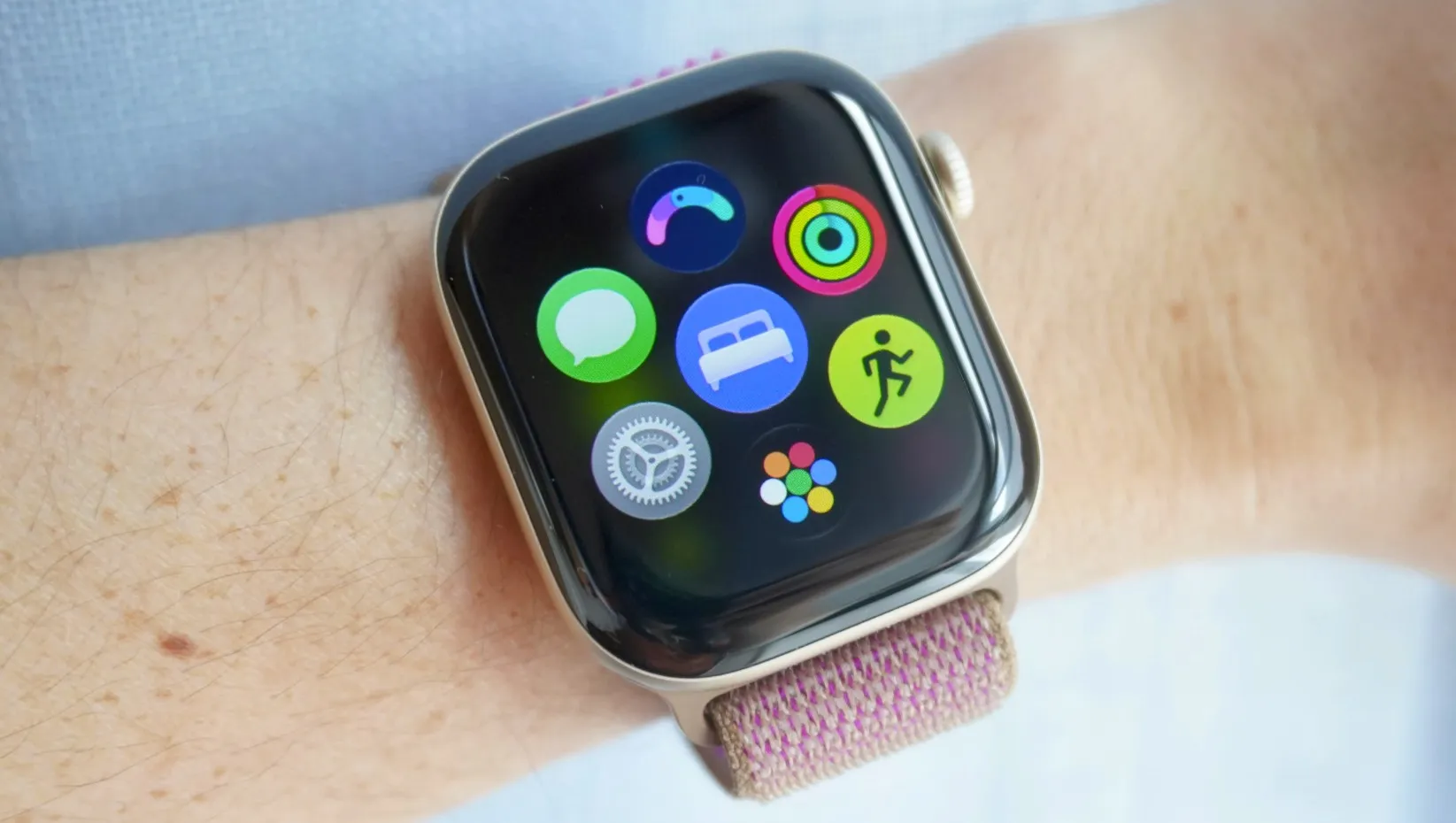
The dynamic app view keeps your most-used and recent apps front and center, and puts the other dozens of untouched apps on the Apple Watch one more touch away. You’ll see this when you click the Apple Watch’s digital crown. Six of your top apps appear on the screen, and at the bottom is an app bubble that opens to your full home screen.
I found myself using the home screen less and less through this new configuration. Most of what I needed was already one digital crown press and one app tap away. It reminds me that user interface design philosophies don’t refine through addition but through subtraction.
Also: My 5 favorite Siri AI ‘on-screen awareness’ tricks – and why
I hope other smartwatches include this app view in their next software updates, specifically Samsung’s Galaxy Watch and Google’s Pixel Watch lineup.
You can still toggle between the list view and the grid view on the Apple Watch by swiping to the bottom of your screen’s display. I personally prefer the grid view to the list view, even though it reduces the touch surface area, because it lets me see every app I have — no scrolling necessary.
Can your Apple Watch get this update?
WatchOS 27 is available on the Apple Watch Series 9, 10, 11, and 12, Apple Watch SE 3, and Apple Watch Ultra 2, 3, and 4. You’ll have to update your iPhone first to iOS 27 to get the WatchOS 27 software update.
What else is new on WatchOS 27?
Siri AI is the biggest update. The new assistant is more agentic, quicker, and conversational. It’s got its own app, too. A new widget opens the Smart Stack with a gesture — this comes in handy for viewing the new step-tracking configuration on the Series 12 or identifying a song playing through Apple’s improved Shazam.

