


Follow ZDNET: Add us as a preferred source on Google.
ZDNET key takeaways
- Paperwork is a free, open-source organization tool.
- The software is available on Linux and Windows.
- It allows you to tag, label, and search documents
Because I’m a writer, I keep a lot of documents. By a lot, I mean hundreds. I need a way to organize my documents and avoid chaos.
I could organize the documents manually, but that would take a very long time. On top of that, searching by hand is a hit-or-miss process.
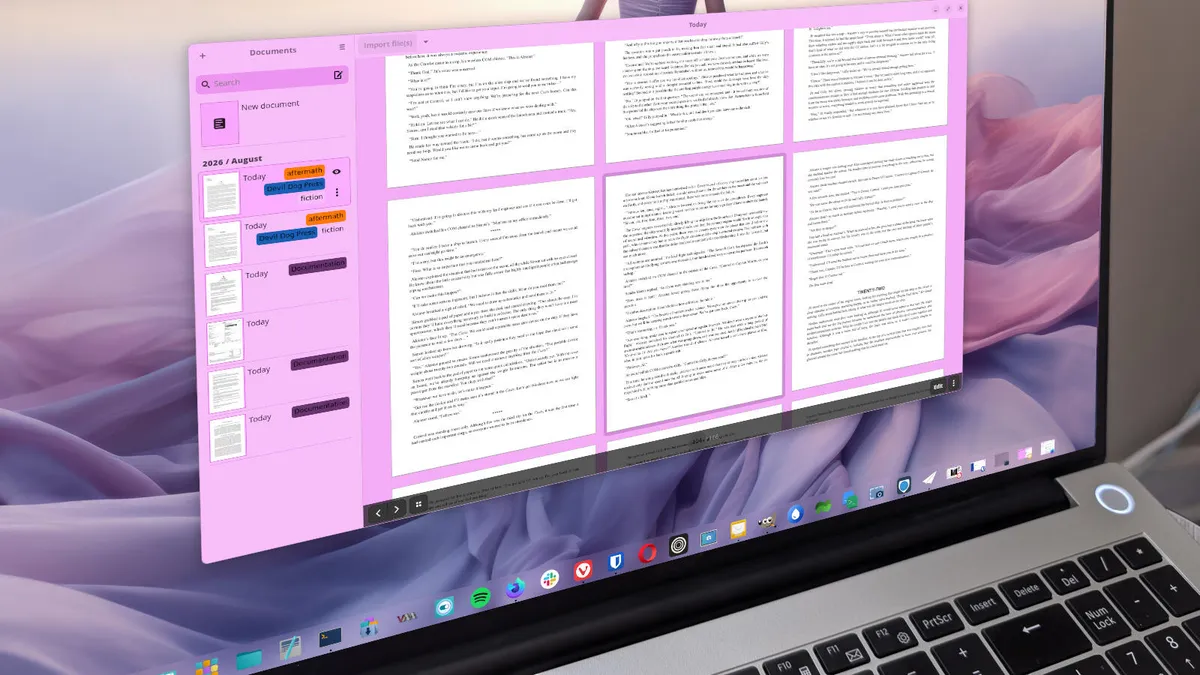
That’s where Paperwork comes into play. This simple (yet very effective) tool allows you to add documents, move the documents (to organize them), search them (by title or even within the body), export them, add keywords and labels to documents, view document properties, search by keyword(s), and change the document view.
Also: This free tool keeps my bookmarks synced across Chrome, Firefox, and Edge – here’s how
The Paperwork feature list includes scanner support, PDF support, auto-detection of page orientation, OCR, document labels, auto-guessing of labels to apply to new documents, search, keyword suggestions, and quick scan edits.
Paperwork is free and can be installed on any Linux distribution and even Windows. Naturally, I installed the app on Linux (Pop!_OS to be exact).
How Paperwork works
How you use Paperwork will depend on your workflow and the types of documents you import. You can import almost any document needed, such as PDF, DOCX, ODT, and more.
Here’s how I make the most out of Paperwork.
Also: I’ve used nearly every browser out there, and these are my top 4 (spoiler: Chrome is out)
First, I import documents. Paperwork is local-only app, so you aren’t uploading any to a third party. To import your documents, click the Import File(s) button and your file manager will open. Navigate to the directory housing the files and select those to be imported (you can do a multi-select by holding down the Ctrl key as you select). After you’ve selected all of the files you want, click Open (in the file picker), and Paperwork makes copies of those documents in the ~/papers directory but does not alter the originals.
Next, I select a document from the sidebar and then click the document properties icon (the eye). In the resulting sidebar, I add as many keywords as needed and change the keyword colors as required. Click Apply, and I’m done.
Add as many keywords as needed to help make your documents even more searchable.
Screenshot by Jack Wallen/ZDNET
Then I go through all the documents I’ve imported during that session and continue adding keywords to each. This step is important because it makes the documents much easier to search.
Also: My favorite Linux search tools make it easier to find your files – no command line needed
Once I’ve taken that step, my documents are ready for searching.
The power of search
This is where Paperwork shines. You can search for documents by file name, but you can also search for strings within the document. Let’s say I have several books I’ve written in a series, but I can’t remember the book that mentioned Imperator Poltava. I can type that string in the search field, and Paperwork will highlight those two words within the document.
Searching is Paperwork’s superpower.
Screenshot by Jack Wallen/ZDNET
Or, I can open the search tool and search by Label or Date by clicking the Keywords dropdown and selecting the one I want.
If you need to search by label, Paperwork has you covered.
Screenshot by Jack Wallen/ZDNET
You can even add multiple search criteria, such as keywords, labels, and dates. This approach can come in handy if you have a vast number of related documents and need to narrow down your search as much as possible.
Installing Paperwork
As I mentioned earlier, Paperwork is available for Linux and Windows (sorry, MacOS users).
To install on Windows, download the installer file from the official site, double-click the downloaded file, and follow the installation wizard.
On Linux, you can install the tool via your distribution’s built-in package manager (command line or GUI) or via Flathub. To install via the built-in package manager GUI, open the app, search for Paperwork, and click to install.
Also: How to keep your conversations with ChatGPT, Gemini, Copilot or Claude as private as possible
If you want to go the CLI route, here are the commands:
- Arch – sudo pacman -S paperwork && paperwork-gtk chkdep
- Debian/Ubuntu – sudo apt install paperwork-gtk paperwork-gtk-l10n-[your language] paperwork-shell -y (where your language is the language you intend to use for the app).
- Fedora – sudo dnf install paperwork -y && paperwork-gtk chkdeps
If you want to install via Flatpak (which is what I would recommend), the command is:
flatpak install flathub work.openpaper.Paperwork
Either way you install, once the process is complete, you’ll find the Paperwork launcher in your desktop menu. Open the app, click Import Files, locate the files you want to add, and start tagging.
Also: I tried Google Drive’s new AI cleanup tool to fix 14 years of storage clutter – here’s the result
Paperwork organizes the documents you’ve added by date (listed in the sidebar) and attempts to auto-label them. I’ve found the automatic labels to be mostly off (for whatever reason, the tool automatically adds the Documentation label to every document that isn’t a PDF), which I always remove in the document properties window.
It takes very little effort to get up to speed with Paperwork, and once you start using the tool, you’ll be surprised how much it can help make your documents searchable and organized.
