


Follow ZDNET: Add us as a preferred source on Google.
ZDNET’s key takeaways
- Dicio is a solid replacement for Google Assistant.
- Dicio handles basic tasks very well (including hands-free calling).
- The free app’s main drawback is that it does not work with Android Auto.
I recently wrote about the problems Gemini has with reliably making hands-free calls. Given that Assistant handled this task with ease and predictability, it’s worrisome that Google is set on permanently tossing Assistant aside, without having solved this hands-free issue.
When I learned that Google Assistant would be discontinued next month, I decided to look for an alternative. That search led me to a free and open-source app called Dicio.
According to the Dicio GitHub page, “Dicio is a free and open-source voice assistant running on Android. It supports many different skills and input/output methods, and it provides both speech and graphical feedback to a question. It interprets user input and (when possible) generates user output entirely on-device, providing privacy by design.”
Also: The one Android settings shortcut I can’t live without – and how to customize it
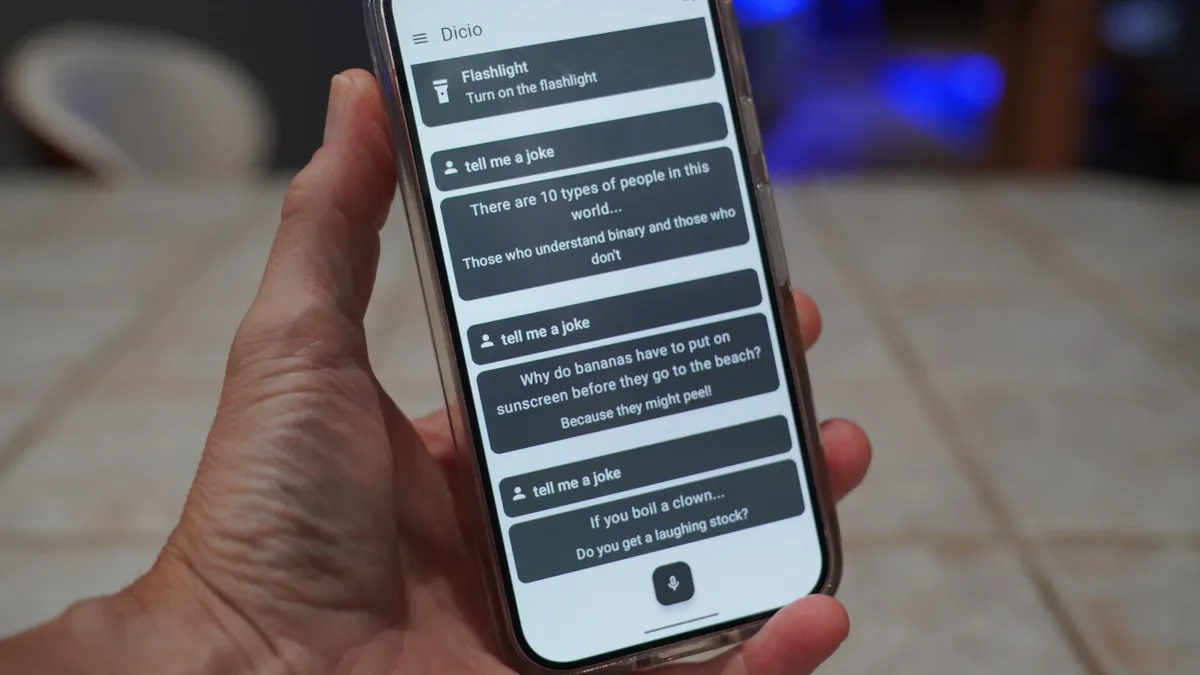
Dicio can do things like tell you the weather, search the internet, find song lyrics, open apps, perform calculations, navigate, call contacts, set timers, control media, tell you a joke, control wake-word listening, translate, read notifications, and turn on your flashlight.
There are two things I’ve found that Dicio can’t do: send messages or compose emails via voice, and connect with Android Auto.
Those caveats aside, this handy voice assistant is a viable alternative to Google Assistant or Gemini, so much so that I’ve started using it as my default. Even better, everything is handled on-device, so you don’t have to worry about a third-party listening in on what you’re doing.
How does Dicio stack up to Google Assistant? Let’s find out.
Installing Dicio
Dicio is available in the Google Play Store, so all you have to do is search for it, tap the entry, then tap Install. Once installed, open the app and walk through the setup wizard.
Installing Dicio from the Google Play Store is just a simple tap away.
Screenshot by Jack Wallen/ZDNET
The first thing you must do is grant Dicio microphone permission. Tap “Grant microphone permission” at the bottom of the window, and then tap “While using this app” when prompted.
You must grant mic permissions for Dicio to function.
Screenshot by Jack Wallen/ZDNET
Next, you’ll need to download the necessary speech-to-text file, so tap “Download speech to text” at the bottom of the screen.
Also: 6 hidden Android features every user should know – and how they make life easier
After that, tap “Grant permission” in the “Set up wake word” card at the top. When prompted, tap Allow, and then tap Download to pull the AI model.
You also have to download the AI model.
Screenshot by Jack Wallen/ZDNET
That’s it. Dicio is installed, set up, and ready to go.
Using Dicio
Dicio is as easy to use as Assistant. You simply say, “Hey, Dicio…” followed by what you want it to do.
Note: The correct pronunciation of the app (for the wake word) is “diss-eee-oh.” I’ve tested Dicio with the usual tasks that Assistant would have handled for me, and here are my results:
- Setting timers: Works as expected.
- Opening apps: All the default Android apps work; some other apps do not. Dicio says it’s opening the app (such as Spotify), but the app doesn’t open.
- Controlling media: Controlling Spotify works flawlessly.
- Hands-free phone calls: Works as expected.
- Note-taking: Does not work.
- Hands-free navigation: Works well (using Google Maps).
- Compose or send emails and messages: Neither works.
- Weather: Works well.
- Calculations: Does not work (bug reported).
- Read notifications: Works as expected.
- Integration with Android Auto: Does not work.
Also: I’ve used Android Auto for years, and these 5 changes solved my biggest issues
Obviously, there are features I would love to see added to Dicio, specifically the ability to take notes, record audio notes, and send emails/messages. Development of Dicio is active, so hopefully the developers are considering including those features.
Even without the ability to send emails/messages, take notes, and record audio, and even with the hit-or-miss opening of apps, I have found Dicio to be an important replacement for when Google kicks Assistant to the curb. I’d like to add Dicio to the Android Auto launcher, but at the moment, that’s not possible.
Available options
If you click the three horizontal line menu button near the top left of the Dicio window, and tap Settings, you’ll see a few options you can adjust, including: language, theme, skills, input method, wake word recognition method, import custom wake word, search output method, play sound when starting to listen, maximum silence before start of speech, and directly send result of speech to text pop-up.
There aren’t a ton of settings in Dicio, but it works well out of the box.
Screenshot by Jack Wallen/ZDNET
As far as the import custom wake word option is concerned, I don’t believe that feature is intended for Android, as it requires Python Pip for installation via the command line.
Caveats
Dicio’s biggest drawback is that it currently does not work with Android Auto. This is because Google does not recognize Dicio as a valid voice assistant for Android Auto. For Dicio to work with Android Auto, Google will have to change its stance. I’ll keep my fingers crossed.
Also: I started avoiding these 5 Android Auto mistakes, and it’s drastically improved my drives
Until then, I’ll keep using Dicio as my default Assistant, and if I have to place hands-free calling when driving, I’ll make sure it’s not connected to Android Auto. Sadly, this kind of defeats the purpose, but I’d still rather know that everything is handled locally than use cloud compute for certain actions, which could send sensitive data to Google’s servers.
Another concern for me is whether Gemini’s paid plans will eventually trickle down to the point where the free service on Android will be severely limited. I’m not saying that’s going to happen, but given Google’s current pricing options, I wouldn’t say that it’s impossible either. The cheapest plan (at the moment) is Gemini AI Plus, at $7.99/month , which gets you access to Gemini Flash 3.5, the Gemini app with Omni, Google Flow with Gemini Omni, Daily Brief in the Gemini app, and AI Inbox in Gmail.
Although some basic Gemini features are still free, it’s clear that Google’s future hinges on AI, so I wouldn’t be surprised if yet another (cheaper) subscription tier arises. When that happens, you can bet more people will flock to the likes of Dicio. I hope that when that time comes, Dicio is recognized as a valid voice assistant.
